
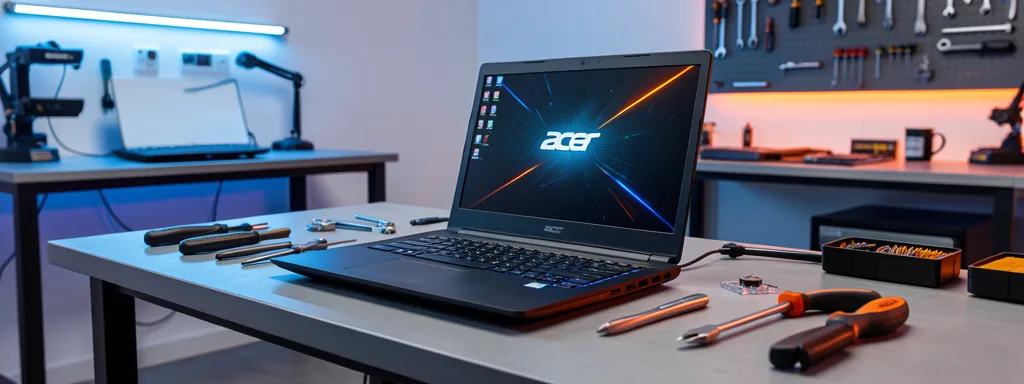
Acer Nitro Repair Services in Singapore
Professional repair for Acer Nitro gaming laptops. Same-day service, 3-month warranty. Expert gaming laptop repair with thermal optimization and high-refresh screen replacement. Models: Nitro 5, Nitro 7, Nitro 16, Nitro V
Acer Nitro gaming laptops are built for performance — but heavy gaming sessions put serious demands on cooling systems, batteries, and displays. Whether you’re dealing with overheating and throttling, a cracked high-refresh screen, rapid battery drain, or fan noise during gameplay, our expert technicians deliver fast, reliable gaming laptop repairs. At Affordable Laptop Services, every Nitro repair includes a free diagnosis, transparent pricing, and a 3-month warranty on parts and labor.
Why Choose Us for Acer Nitro Repair
Acer Nitro Models We Repair
We service all Acer Nitro models from 2017–2024, including:
- Acer Nitro 5 — AN515, AN517 series (Most popular gaming laptop)
- Acer Nitro 7 — AN715 series (Thin & light gaming)
- Acer Nitro 16 — AN16 series (Latest 16-inch generation)
- Acer Nitro V — ANV15, ANV16 series (Value gaming)
- Acer Nitro 17 — AN17 series (Large-screen gaming)
Common Acer Nitro Issues We Fix

1. Overheating & Loud Fan Noise
Overheating is the #1 issue with Nitro gaming laptops. Dust accumulates in the dual-fan cooling system, and thermal paste degrades over time — causing thermal throttling, FPS drops, and loud fan noise during gaming. We perform full thermal servicing: deep cleaning of fans and heatsinks, premium thermal paste replacement, and thermal pad inspection to restore peak gaming performance.
From $120 | 2-3 hours | Learn More →
2. Screen Cracked, Flickering, or High-Refresh Display Issues
Nitro displays (144Hz, 165Hz, or IPS panels) can crack from impact, develop flickering, or show dead pixels. We stock replacement panels for all Nitro models including high-refresh rate screens. Your new display will match the original specs — no downgrade in refresh rate or resolution.
From $150–$300 | 3-4 hours | Learn More →
3. Battery Drain or Not Charging
Gaming laptops consume batteries rapidly, leading to faster degradation. Common signs include battery lasting under 1 hour, swelling (trackpad lifting), or failure to charge. We replace Nitro batteries with genuine parts and check for any damage caused by swelling or heat exposure.
From $150 | 2-3 hours | Learn More →
4. Keyboard Not Working or Liquid Damage
Nitro keyboards with RGB backlighting can experience stuck keys, non-responsive zones, or liquid damage from spilled drinks during gaming sessions. We replace individual keys or complete keyboard assemblies, including restoring full RGB functionality.
From $120 | 3-4 hours | Learn More →
5. Hinge Stress or Broken Hinge
The Nitro’s heavier screen and frequent opening/closing can lead to hinge stress over time. Signs include a wobbly screen, cracking near the hinge area, or difficulty opening the laptop. We reinforce or replace hinges and repair any casing damage caused by hinge failure.
From $80–$150 | 3-4 hours | Learn More →
6. Motherboard or GPU Issues
Gaming puts heavy load on the Nitro’s motherboard and dedicated GPU. Common issues include GPU artifacts (visual glitches), random shutdowns under load, no display output, or charging circuit failure. We perform component-level motherboard repair to save your laptop at a fraction of replacement cost.
From $120 | 1-3 days | Learn More →
Acer Nitro Upgrades
SSD Upgrade for Faster Game Loading
Most Nitro models support dual M.2 NVMe SSD slots — meaning you can add a second SSD without removing your existing one. We offer 512GB, 1TB, and 2TB options with full data migration included. Slash your game loading times and get more storage for your library.
Benefits: Faster game loading, more storage for your game library, reduced stuttering
From $150+ (includes SSD + cloning + installation)
RAM Upgrade for Better Gaming Performance
Most Acer Nitro models have 2 upgradeable SO-DIMM RAM slots, making them easy to upgrade. Going from 8GB to 16GB or 32GB significantly improves multitasking and game performance — especially in memory-heavy titles.
Benefits: Higher FPS in demanding games, smoother streaming while gaming, better multitasking
From $80+ (includes RAM + installation)
Our Repair Process
1. Free Diagnosis (15-30 min)
Walk in to any of our 5 locations — no appointment needed. We identify the exact problem and provide a detailed quote.
2. Transparent Quote
Fixed-price quote with no hidden fees. You approve before we start. For urgent repairs, we offer express service.
3. Professional Repair (2-4 hrs typical)
Expert technicians use premium parts with proper ESD protection. Data always preserved — your game saves and settings are safe.
4. Quality Testing
Every gaming laptop repair goes through stress testing, thermal benchmarking, and full functionality verification before return.
5. 3-Month Warranty
Comprehensive warranty on parts and labor included free. If any issues arise, we fix them at no charge.
Pricing Guide
| Service | Price | Time |
|---|---|---|
| Fan Cleaning / Thermal Repaste | $120 | 2-3 hrs |
| Screen Replacement (High-Refresh) | From $150 | 3-4 hrs |
| Battery Replacement | $150 | 2-3 hrs |
| Keyboard Replacement | $120 | 3-4 hrs |
| Hinge Repair | $80 | 3-4 hrs |
| Motherboard Repair | From $120 | 1-3 days |
| SSD Upgrade (512GB) | From $150 | 1-2 hrs |
| RAM Upgrade (16GB) | From $80 | 30 min |
*Prices include parts + labor + warranty
Frequently Asked Questions
How long does a Nitro repair take?
Most Nitro repairs are completed the same day. Thermal repasting takes 2-3 hours, screen replacement 3-4 hours. More complex repairs like motherboard work may take 1-3 days. We can provide a loaner laptop if you need one while your Nitro is being repaired.
Can you replace my Nitro screen with the same refresh rate?
Yes! We stock high-refresh rate panels (144Hz, 165Hz) for all Nitro models. Your replacement screen will match the original refresh rate and resolution — no downgrades. All screen replacements come with our 3-month warranty.
My Nitro is overheating and throttling during games. Can you fix it?
Absolutely — this is one of our most common Nitro repairs. We perform a full thermal service: deep clean the dual-fan system, replace thermal paste with premium compound, and inspect thermal pads. Most customers see a 10-20°C temperature drop after our service.
Can I upgrade the RAM and SSD in my Nitro?
Yes! Most Nitro models have 2 RAM slots and 2 M.2 SSD slots, making them very upgrade-friendly. You can go up to 32GB RAM and add a second SSD without removing your existing drive. Bring your Nitro in for a free assessment and we’ll advise on the best upgrade path.
What if my Nitro has liquid damage?
We offer free diagnostics for liquid damage. Turn off your Nitro immediately, don’t charge it, and bring it in as soon as possible. 85% success rate if brought in within 24 hours. DO NOT turn on your Nitro if liquid was spilled — bring it to us immediately.
Get Your Acer Nitro Repaired Today!
Same-day gaming laptop repair service at 5 locations across Singapore
Related Services



Table of Contents
Operating Hours:
Mon-Fri: 11am-9pm
Closed Public Holidays
