
Hinges take more stress than almost any other part of a laptop. Every time you open the lid, the hinge twists against small screw mounts set into the plastic or metal case. Over thousands of openings those mounts loosen, crack, and eventually pull away.
A hinge rarely fixes itself. Once it starts to go it usually gets worse quickly, and a small problem can spread to the casing and the screen. Here’s how to spot it early and what to do.
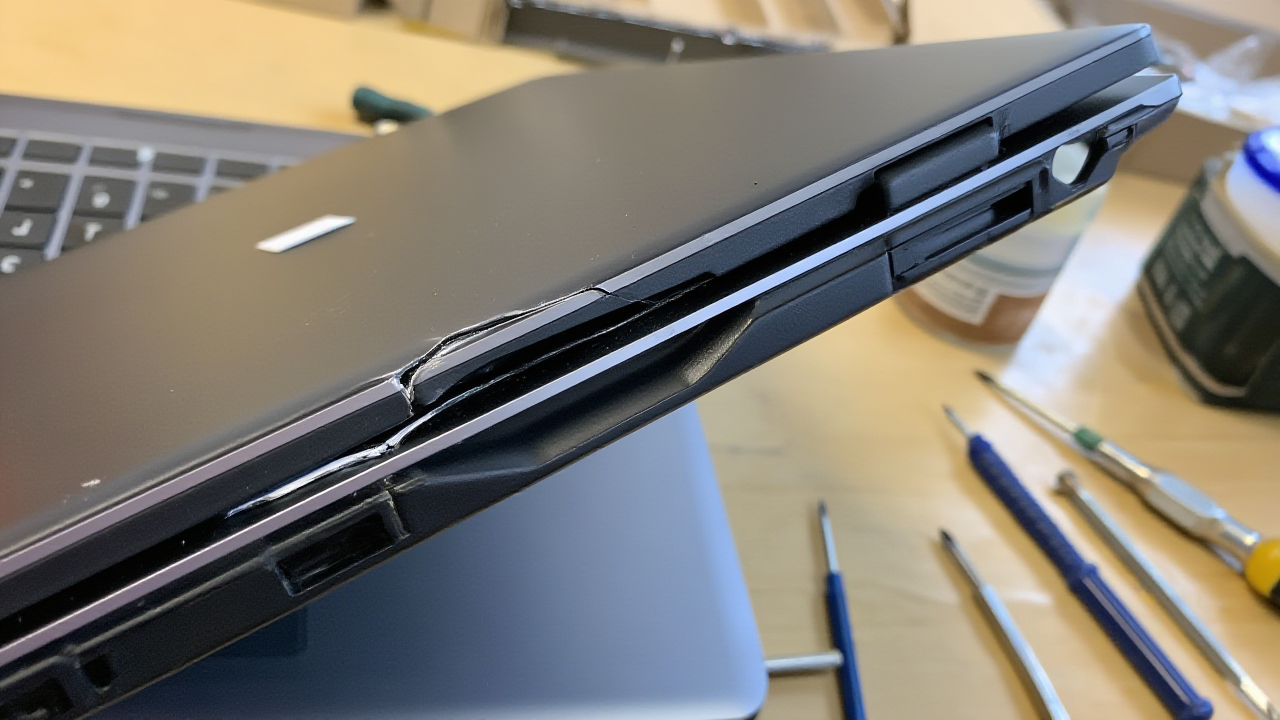
👀 Signs the Hinge Is Failing
- The screen wobbles or won’t stay upright at the angle you set
- A creak, click or cracking sound when you open the lid
- A gap opening where the screen meets the base
- The bezel around the screen lifting at one corner
- The base lifting off the desk on one side as you open it
- The screen flickering or going black when you move the lid, which means the display cable is being pinched
🤔 Why Hinges Break
Plastic mounts
Many budget and mid-range laptops anchor the hinge into plastic screw posts. They’re fine when new, but heat and years of use make the plastic brittle until the post cracks.
Stiff hinges and heavy lids
Gaming laptops and larger 15–17 inch models have heavier screens, so the hinges are set tight. That extra force goes straight into the mounts.
Opening from one corner
Lifting the lid from a corner puts all the load on one hinge. Open it from the middle of the top edge to spread the force.
Drops and bumps
A fall onto an open laptop, or closing it on a pen or earphones, can bend the hinge or crack the mount in one go.
⚠ What to Do Right Away
- Stop opening and closing it more than you need to. Each movement loads the cracked mount.
- If you have to use it, keep the lid at one angle, or plug in an external monitor and keyboard.
- Don’t glue it. Superglue and epoxy rarely hold, and the residue makes a proper repair harder and more expensive.
- Don’t tighten screws you can see from outside unless you know where they go. Overtightening into cracked plastic finishes the job.
- Back up your files, especially if the screen is flickering.
A loose hinge is a small job. Left alone, it cracks the case around it and then pulls on the screen cable. Many laptops we see came in with an $80 hinge problem that became a hinge, casing and screen repair.
🔧 What a Repair Involves
- Diagnosis: we check whether it’s the hinge itself, the mount, or both, and whether the screen cable is damaged.
- Hinge replacement if the hinge is bent or too loose.
- Mount repair: where the plastic post has cracked, we rebuild it or replace that section of the case.
- Cable and screen check before it goes back together.
All repairs carry a 90-day warranty. See the laptop repair cost guide for more prices.
❓ Frequently Asked Questions
Is a broken laptop hinge worth fixing?
Almost always. Hinge repair costs a fraction of a new laptop. The only exception is a very old laptop that already struggles with your work.
Can I keep using a laptop with a loose hinge?
For a short time, if you open and close it gently. Each movement makes it worse, so get it checked soon.
Does warranty cover a broken hinge?
If it failed from normal use within warranty, often yes. If it was dropped or forced, manufacturers usually treat it as accidental damage.
Why does my screen flicker when I move the lid?
The display cable runs through the hinge. A loose or broken hinge can pinch it. Fixing the hinge early usually saves the cable and the screen.
📞 Get Help
Hinge Loose or Cracked?
Bring it in before it reaches the screen. Free diagnosis at all four outlets.
Ang Mo Kio Central (703 AMK Ave 8) | Jurong East (Westgate #03-K2) | Bugis (62 Queen St) | Marine Parade (Parkway Parade #B1-45)
Open daily from 11am

