
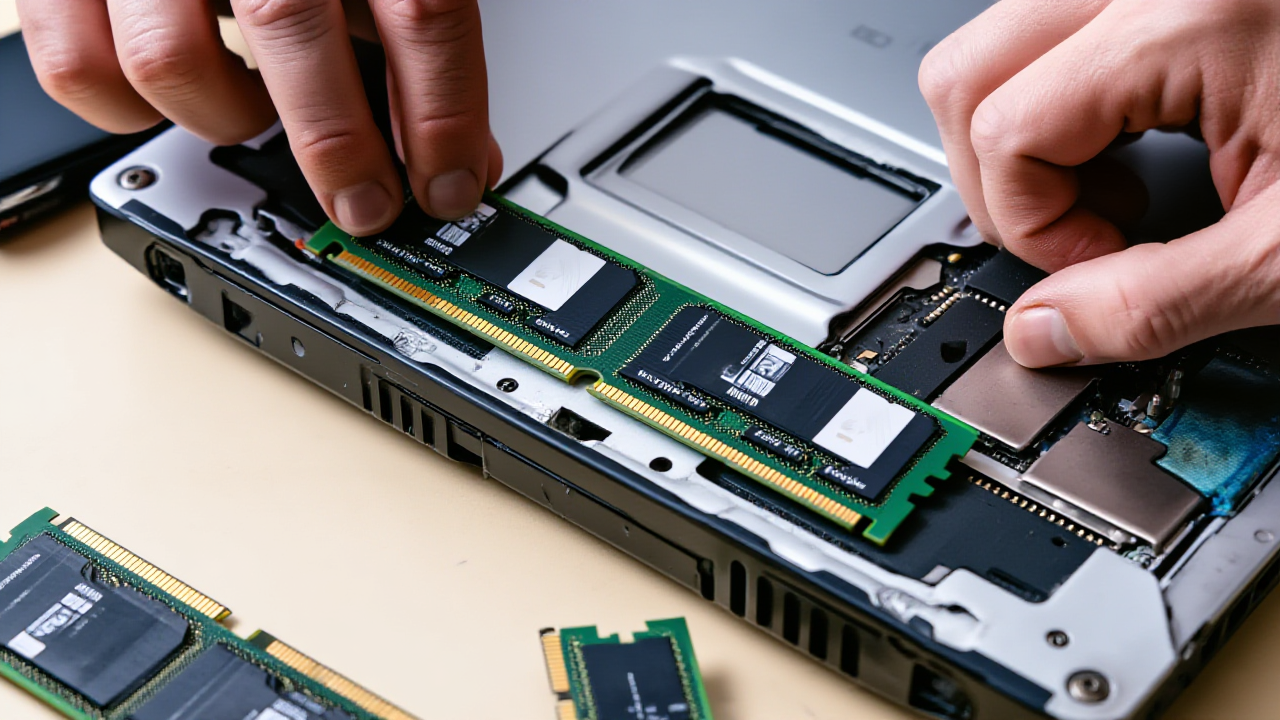
On most laptops, only two upgrades are realistic at home: storage and memory. Both can make an older laptop feel new for well under $200. The processor and graphics are soldered to the motherboard on almost every modern laptop, so forget those. Here’s how to work out what’s worth doing and how to do it without breaking anything.
🔍 1. Check What Your Laptop Allows
Find your exact model on the sticker underneath, or in Settings → System → About. Then search for the model name with “RAM upgrade” or “SSD slot”. Tools like Crucial’s System Scanner will tell you what fits and how many slots you have.
- Many thin laptops have RAM soldered to the board, so only storage can be upgraded.
- All MacBooks since 2016 have soldered RAM and storage, so neither can be upgraded.
- Business laptops and gaming laptops usually have two RAM slots and at least one M.2 SSD slot.
🎯 2. Pick the Upgrade That Helps Most
💾 3. Back Up First
Copy your files to an external drive or cloud storage before you open anything. If you’re replacing the drive, you have two choices: clone the old drive to the new SSD with a USB adapter and free software like Macrium Reflect, so everything carries over; or install Windows fresh on the new SSD and copy your files back, which gives a cleaner, faster result.
🔧 4. Open It Carefully
- Shut down fully (hold Shift while clicking Shut down) and unplug the charger.
- Use the right screwdriver. Many laptops use tiny Phillips #0 or Torx T5 screws.
- Keep the screws in order. They’re often different lengths, and a long screw in the wrong hole can damage the keyboard.
- Pry the bottom cover gently with a plastic tool, starting near a hinge. Never use a metal screwdriver.
- Disconnect the battery before touching anything inside.
- Touch a metal surface first to discharge static, or wear an anti-static strap.
⚡ 5. Install and Test
RAM slides in at about 30 degrees and clicks down into the side clips. M.2 SSDs slide into the slot at an angle and are held by one small screw. Reconnect the battery, close the cover, and power on. Check the new RAM shows in Task Manager → Performance, or that the new drive appears in File Explorer, then run Windows Update for drivers.
For the best performance, use two identical sticks (for example 2×8GB) so the laptop runs in dual-channel mode. Check whether it needs DDR4 or DDR5; they aren’t interchangeable.
🏪 When to Let Us Do It
Some laptops are fiddly: glued batteries, clip-on bottom covers that crack easily, or a keyboard you have to remove to reach the RAM. If yours is one of those, or you’d rather not clone a drive yourself, bring it in.
All upgrades carry a 90-day warranty.
❓ Frequently Asked Questions
Will upgrading void my warranty?
On many business laptops, RAM and SSD are user-upgradable without voiding warranty. On others, damage caused during the upgrade isn’t covered. Check your manufacturer’s policy.
Can I upgrade my laptop’s graphics card?
Almost never. Laptop GPUs are soldered to the board. An external GPU over Thunderbolt is possible but expensive.
Is it worth upgrading an old laptop?
If it still runs Windows 11 and has upgradable parts, usually yes. See repair or replace.
📞 Get Help
Want a Faster Laptop Today?
Same-day RAM and SSD upgrades with your data moved over
Ang Mo Kio Central (703 AMK Ave 8) | Jurong East (Westgate #03-K2) | Bugis (62 Queen St) | Marine Parade (Parkway Parade #B1-45)
Open daily from 11am

