
PC CASE UPGRADE GUIDE · SINGAPORE
Upgrade Your PC to a Smaller, More Aesthetic Case
— Is It Worth It?
Your PC’s guts are fine — but the old black tower is taking up half your desk and ruining the setup. Here’s everything you need to know before swapping to a smaller, better-looking case in Singapore.
📋 On This Page
THE MOTIVATION
Why People Upgrade Their PC Case
Your PC works fine. But it’s a chunky black tower sitting on the floor, looking like it belongs in a 2009 office. Meanwhile your desk has a nice monitor arm, a clean mat, maybe some LED strips — and this old box is ruining the vibe.
There are usually two reasons someone wants a new case:
📐
Space
HDB flats and condo desks don’t have room for a full tower. A mid-tower or compact ITX case can sit on the desk, take up half the floor footprint, or even fit inside a cabinet.
✨
Aesthetics
Modern cases look nothing like cases from 5–10 years ago. Mesh front panels, tempered glass, white interiors, ARGB fans — a new case turns your PC into a showpiece rather than something to hide under the desk.
SIZE GUIDE
Case Sizes Explained: ATX, mATX and ITX
Before choosing a case, you need to know what motherboard you have — because the case must physically fit it.
ATX
305×244mm
Mid / Full Tower
The most common size. Mid-tower ATX cases offer great airflow, room for large GPUs and tower coolers. A modern mid-tower is a massive visual upgrade over an old full tower with none of the compatibility headaches.
mATX
244×244mm
Micro-ATX — The Sweet Spot
Noticeably more compact than ATX without much sacrifice. A good middle ground if you want to go smaller without the constraints of ITX. Most mATX cases are desk-friendly and look great.
ITX
170×170mm
Mini-ITX — Smallest Form Factor
Can be genuinely tiny — small enough to sit beside your monitor. The tradeoff: GPU length is restricted, cooler height is limited, and cable management is tighter. Not impossible — but this is exactly where professional help pays off.
WHAT’S TRENDING
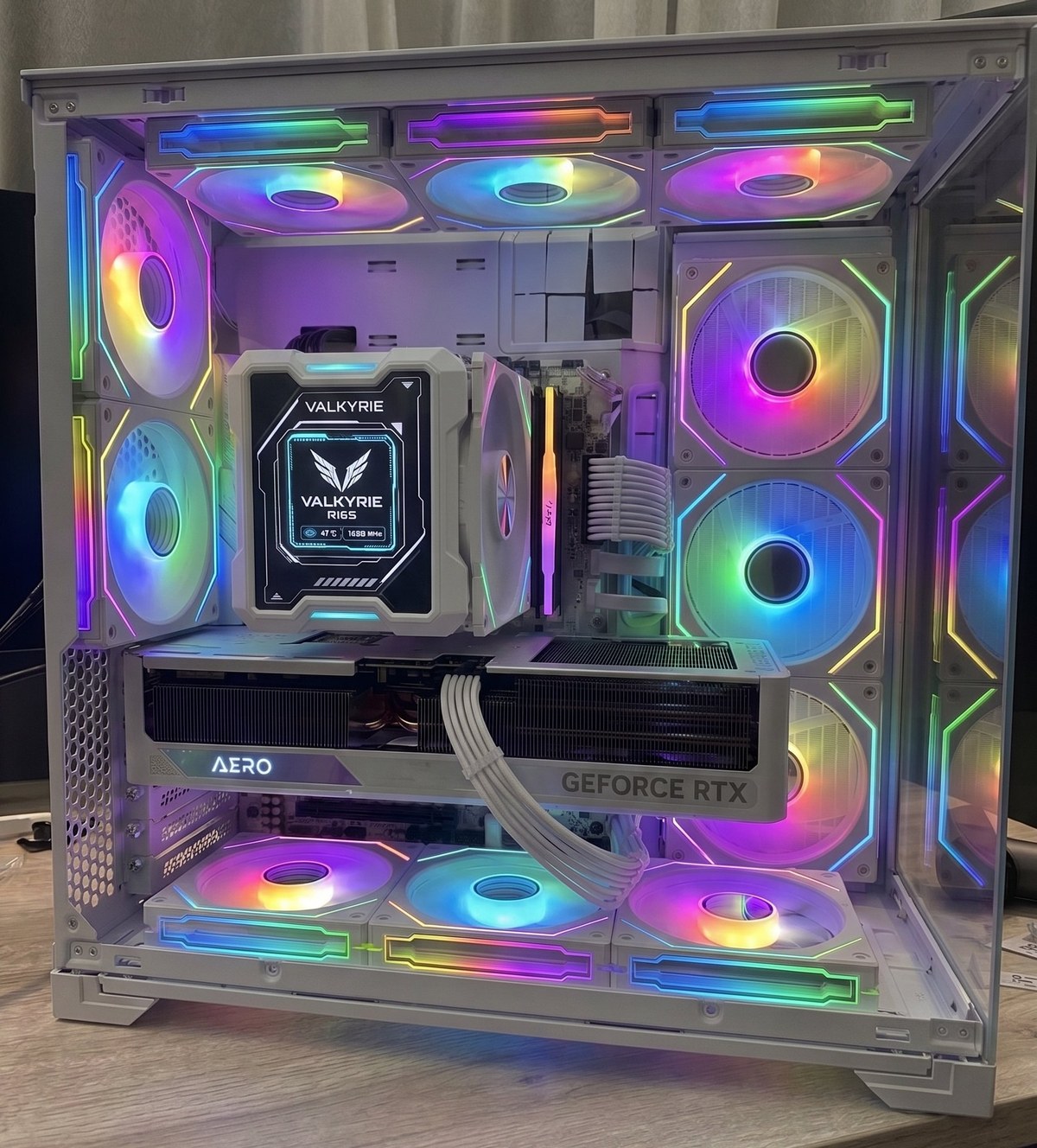
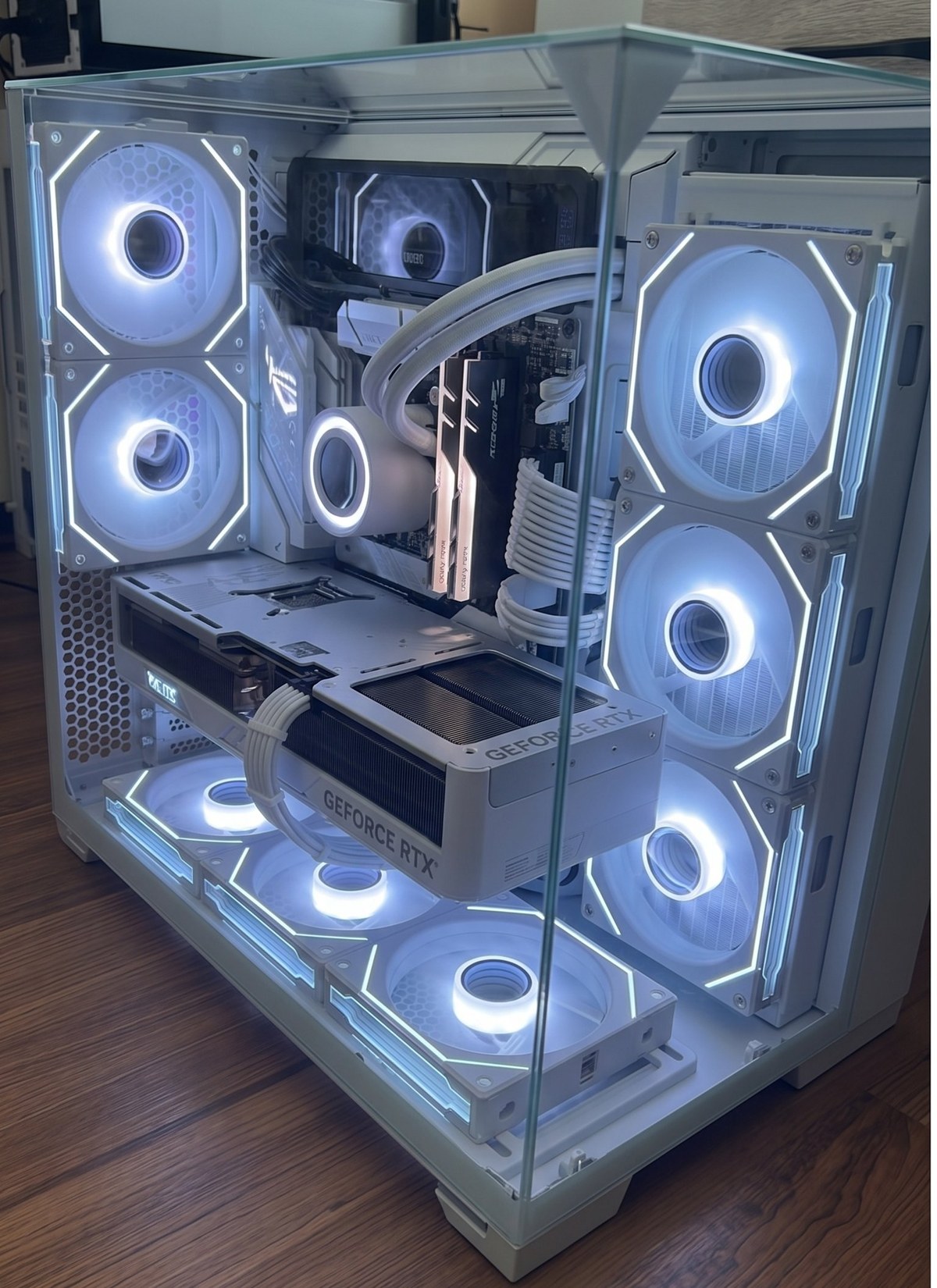
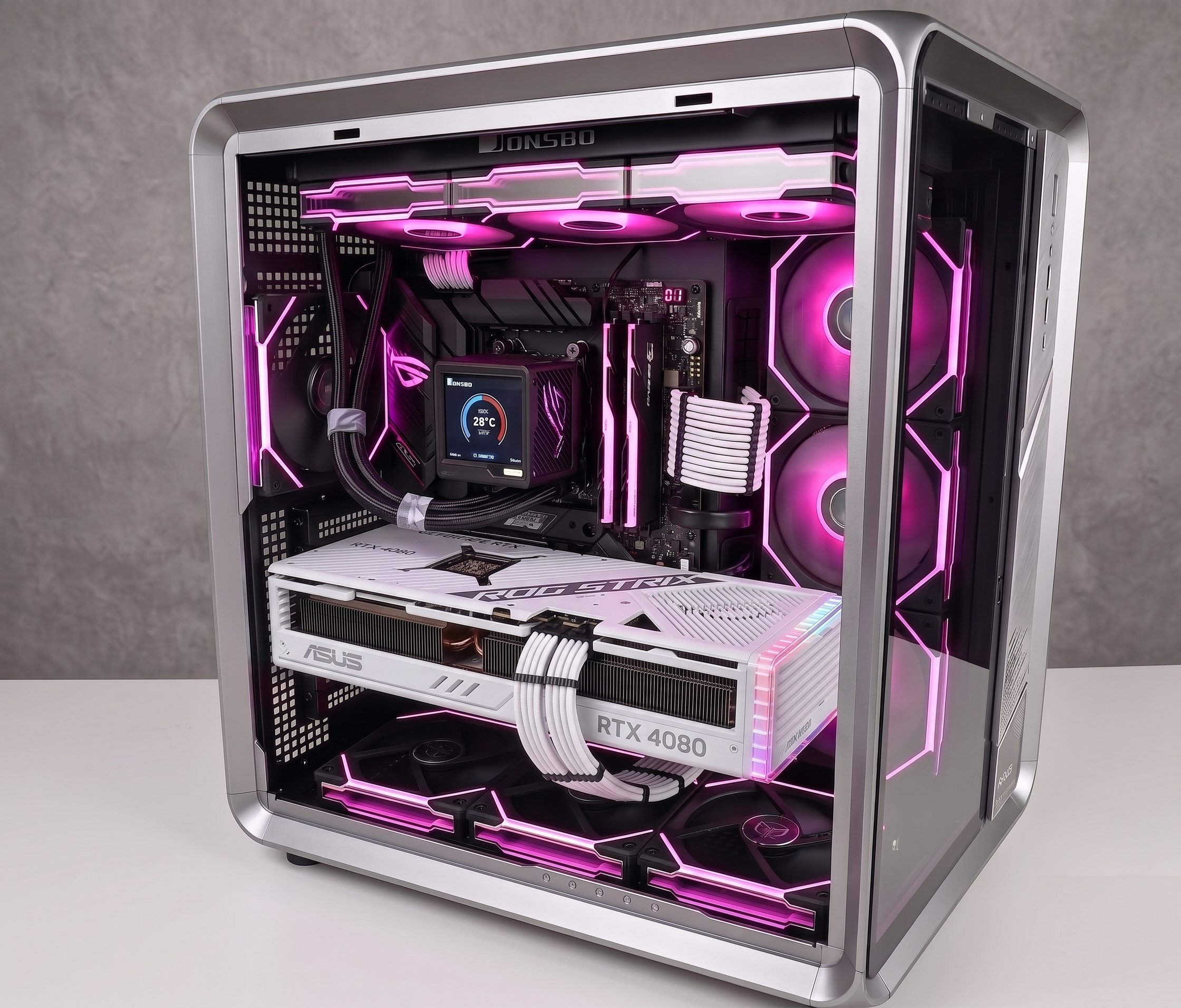
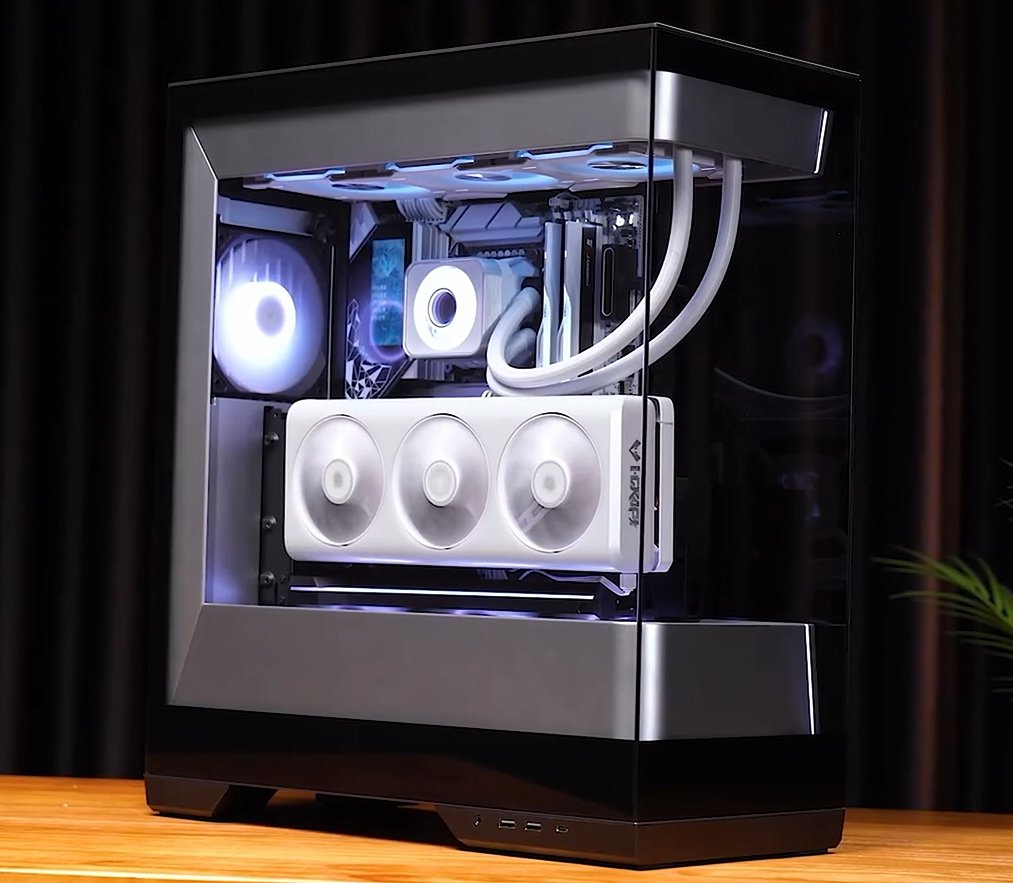
Popular Aesthetic Builds in Singapore
Real customer PCs we’ve rebuilt and upgraded at our shops.
BEFORE YOU BUY
4 Things to Check Before Buying a New Case
This is where DIY case upgrades go wrong. Verify all four before purchasing any case.
Motherboard Form Factor
ATX, mATX, or ITX — the case must match. Measure if unsure: ATX is 305×244mm, mATX is 244×244mm, ITX is 170×170mm.
GPU Length Clearance
Modern RTX 4070/4080 cards can exceed 330mm. Many compact cases cap GPU clearance at 280–320mm. Always check the case spec sheet.
CPU Cooler Height
ITX cases often restrict cooler height to 60–65mm, ruling out most tower coolers. You may need a low-profile cooler or AIO liquid cooling instead.
PSU Form Factor
ITX and some compact mATX cases require an SFX or SFX-L PSU. If you have a standard ATX PSU, a small case may not work without also replacing the power supply.
WATCH IT IN ACTION
Real In-Store Case Builds
THE PROCESS
What a Professional Case Transfer Involves
Free Assessment
We check your motherboard size, GPU length, cooler height, and PSU type against the new case. No obligation.
Full Component Transfer
Motherboard, GPU, PSU, CPU cooler, and storage drives all moved carefully into the new housing.
Cable Management
Every cable rerouted neatly behind the motherboard tray. Velcro ties and straps throughout. No spaghetti.
Fan & RGB Setup
New ARGB fans and LED strips installed and synced to your motherboard’s lighting software.
Boot Test & Done
We power on and confirm everything posts before you take it home. Same day, 2–3 hours. Labour from $50.
💡 Is It Worth It?
For most people: yes, if space or aesthetics matters to you. You’re not getting a performance upgrade — your CPU, GPU, and RAM stay exactly the same. But if you’re staring at an ugly old tower every day, or desk space is genuinely tight, a case upgrade transforms how the whole setup feels.
Pair it with cable management and some ARGB fans and you have a completely different-looking PC for a few hundred dollars. The components do all the work — the case just needs to show them off properly.
Ready to Upgrade Your PC Case?
Bring your PC in or WhatsApp us with your specs — we’ll check compatibility and advise before you buy anything. Walk-ins welcome at all 4 locations: Bugis, Bedok, Jurong East, Ang Mo Kio.

